
30 Ways to Use AI into Your Daily Work
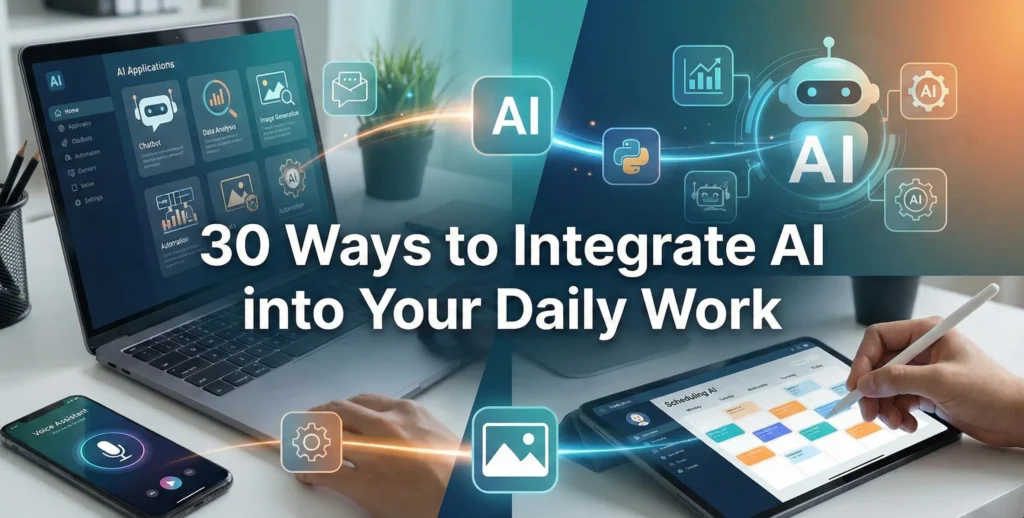
The world of work is undergoing a profound transformation, and at its heart is Artificial Intelligence (AI). What once seemed like science fiction is now an indispensable tool for professionals across every industry. Far from being a futuristic concept, AI at work is readily available today, offering unprecedented opportunities to enhance efficiency, spark creativity, and drive innovation in our daily tasks.
Many professionals are curious about how to leverage AI at work effectively without needing to be tech experts. The good news is that integrating AI into your workflow doesn’t require a deep understanding of complex algorithms; it’s about identifying the right tools and strategies to augment your existing skills and overcome common challenges. From automating mundane tasks to generating insightful reports and crafting compelling content, AI is a powerful copilot waiting to assist you.
This comprehensive guide will explore 30 practical, impactful ways you can start using AI at work right now. Whether you’re a marketer, project manager, data analyst, designer, or executive, these strategies will empower you to save time, reduce effort, and achieve more. Get ready to transform your workday and unlock new levels of productivity and professional success.
The AI Revolution: Why Now is the Time for AI at Work
Artificial Intelligence is no longer just a buzzword; it’s a foundational technology that is democratizing advanced capabilities. Tools powered by AI are becoming increasingly user-friendly, allowing individuals and teams of all sizes to harness their power without extensive training or specialized knowledge. Embracing AI at work now isn’t just about staying competitive; it’s about fundamentally rethinking how work gets done.
By understanding and implementing AI, you can free yourself from repetitive, time-consuming tasks, allowing you to focus on higher-value activities that require human creativity, critical thinking, and emotional intelligence. This shift not only boosts personal productivity but also fosters a more strategic and innovative work environment. Let’s dive into the actionable ways you can integrate AI today.

Supercharge Your Communication & Content Creation
Effective communication and compelling content are cornerstones of success in any role. AI tools are revolutionizing communication and content creation, making AI at work indispensable for clarity, accuracy, and impact.

1. Drafting Emails & Messages
AI can generate professional, context-aware emails and messages in seconds. Simply provide a few bullet points or a brief prompt, and the AI can draft responses, create outlines, or even write entire email sequences. This saves significant time, especially for routine communications or when you need to convey complex information clearly.
Example Use: Writing a follow-up email after a meeting, drafting a client proposal introduction, or responding to common customer inquiries. Popular tools include ChatGPT, Google’s Gemini, and integrated AI features in email clients.

2. Summarizing Long Documents & Meetings
Instead of sifting through lengthy reports, articles, or meeting transcripts, AI can quickly extract the most important points, key decisions, and action items. This ensures you grasp the core information rapidly, without missing critical details.
Example Use: Summarizing a quarterly report for a quick executive briefing, getting up to speed on meeting notes you missed, or understanding the main arguments of a research paper. Tools like Notion AI, Otter.ai, and various browser extensions offer this functionality.

3. Generating Marketing Copy & Ad Content
For marketers, AI is a game-changer for content generation. It can craft compelling headlines, ad copy, social media posts, product descriptions, and even video scripts tailored to specific platforms and audiences. This accelerates content cycles and helps test different messaging variations.
Example Use: Creating multiple ad variations for an A/B test, drafting engaging captions for Instagram, or generating a catchy slogan for a new product launch. Platforms like Jasper, Copy.ai, and Writesonic are built for this purpose.
4. Translating Languages in Real-Time
Breaking down language barriers is crucial in today’s globalized workforce. AI-powered translation tools offer real-time text and speech translation, facilitating seamless communication with international colleagues, clients, or partners.
Example Use: Translating a business document from Spanish to English, communicating with a non-native speaker in a video call, or understanding foreign-language market research. Google Translate, DeepL, and Microsoft Translator are widely used.
5. Improving Writing Style & Grammar
Beyond basic spell-checking, AI writing assistants can analyze your text for clarity, conciseness, tone, and overall impact. They offer suggestions to enhance readability, refine vocabulary, and ensure your message is received exactly as intended.
Example Use: Polishing a client proposal, ensuring an important internal memo is professional, or improving the flow of a blog post. Grammarly, ProWritingAid, and LanguageTool are excellent for this.
6. Creating Engaging Presentations
AI tools can assist in building visually appealing and coherent presentations. They can auto-generate slides from your text, suggest appropriate layouts, refine bullet points, and even recommend visuals, significantly reducing the time spent on design.
Example Use: Quickly turning a research paper into a presentation for stakeholders, creating a training module, or designing marketing pitch decks. Tools like Beautiful.ai and Tome use AI to streamline presentation creation.
7. Transcribing Audio/Video to Text
Convert spoken words from meetings, interviews, podcasts, or webinars into accurate, editable text. This is invaluable for creating meeting minutes, content repurposing, accessibility, and documentation, saving hours of manual transcription.
Example Use: Generating subtitles for a training video, creating written notes from a client call, or producing a blog post from a recorded interview. Otter.ai, Happy Scribe, and Descript are popular transcription services.
8. Generating Blog Posts & Article Outlines
Content creators can leverage AI to generate outlines, brainstorm topics, and even draft initial versions of blog posts or articles. This provides a strong starting point, allowing writers to focus on refining the narrative and adding their unique perspective.
Example Use: Creating a content calendar with AI-suggested topics, quickly drafting an initial blog post on a specific keyword, or expanding on a brief idea into a full article structure. AI writing tools often integrate with SEO analysis platforms like Surfer SEO or Frase.io.
Master Data with AI at Work, Make Smarter Decisions
Data is the new oil, but only if you can refine it into actionable insights. AI excels at processing vast amounts of data, making AI at work crucial for revealing patterns and supporting more informed decision-making.
9. Automating Data Entry & Cleaning
Manual data entry is prone to errors and incredibly time-consuming. AI-powered Robotic Process Automation (RPA) tools can automate the input of data from documents, spreadsheets, and web forms into various systems, while AI can also detect and correct inaccuracies, ensuring data integrity.
Example Use: Automatically populating CRM fields from scanned invoices, transferring data between different software applications, or cleaning up customer databases. RPA platforms like UiPath and Automation Anywhere often feature AI capabilities.
10. Predictive Analytics for Business Trends
AI can analyze historical data to predict future trends, such as sales forecasts, market shifts, and consumer behavior. This allows businesses to anticipate changes, allocate resources effectively, and make proactive strategic decisions.
Example Use: Predicting seasonal demand for inventory management, forecasting customer churn, or identifying emerging market opportunities. Many Business Intelligence (BI) platforms and CRM systems (e.g., Salesforce Einstein) incorporate predictive AI.
11. Identifying Key Insights from Large Datasets
Humans can only process so much information. AI algorithms can sift through massive datasets, identifying hidden patterns, correlations, and anomalies that might go unnoticed by manual analysis, leading to profound discoveries and optimized strategies.
Example Use: Uncovering new customer segments, identifying operational inefficiencies, or detecting subtle shifts in product performance. Advanced analytics tools like Tableau and Power BI are increasingly integrating AI features for insight generation.
12. Personalizing Customer Experiences
AI enables hyper-personalization by analyzing individual customer data – purchase history, browsing behavior, preferences – to recommend products, content, or services tailored to their specific needs. This significantly enhances customer satisfaction and loyalty.
Example Use: Dynamic product recommendations on e-commerce websites, personalized email marketing campaigns, or customized content suggestions on a streaming platform. CRMs with AI and dedicated personalization engines utilize this.
13. Risk Assessment & Fraud Detection
In industries like finance and cybersecurity, AI plays a critical role in identifying suspicious activities and potential risks. It can rapidly analyze transactions, network traffic, and user behavior to flag anomalies indicative of fraud or security breaches.
Example Use: Detecting fraudulent credit card transactions, identifying unusual login patterns in an IT system, or assessing the creditworthiness of loan applicants. Specialized AI platforms are prevalent in these high-stakes sectors.
14. Optimizing Pricing Strategies
AI can dynamically adjust pricing based on real-time factors like demand, competitor pricing, inventory levels, and even time of day. This maximizes revenue and ensures competitive positioning without constant manual oversight.
Example Use: Dynamic pricing for airline tickets or hotel rooms, optimizing e-commerce product prices during peak seasons, or adjusting subscription tiers based on market value. Many e-commerce and revenue management systems leverage AI for this.
Streamline Workflows & Automate the Mundane with AI at Work
Many aspects of our work involve repetitive, rule-based tasks. AI and automation tools can take these off your plate, freeing you up for more strategic and creative endeavors, demonstrating the real power of AI at work.
15. Automating Repetitive Tasks (RPA)
Robotic Process Automation (RPA), often enhanced by AI, can mimic human actions to automate a wide range of administrative and data-driven tasks. This includes processing invoices, onboarding new employees, generating reports, and managing data transfers between systems.
Example Use: Automatically generating weekly sales reports, syncing customer data across CRM and accounting software, or processing HR requests. RPA tools like UiPath, Automation Anywhere, and Blue Prism are designed for this.
16. Scheduling Meetings & Appointments
AI-powered scheduling assistants can manage your calendar, find optimal meeting times based on participants’ availability, send invitations, and even follow up with attendees. This eliminates the back-and-forth typically associated with coordinating schedules.
Example Use: Booking multiple client meetings without manual calendar checks, scheduling internal team syncs, or coordinating complex interview schedules. Calendly (with AI integrations), Clara, and x.ai are examples.
17. Managing Project Timelines & Resources
AI can analyze project data to optimize task allocation, predict potential delays, and suggest adjustments to timelines and resource deployment. This ensures projects stay on track and within budget, improving overall project success rates.
Example Use: Automatically assigning tasks based on team member availability and skill sets, identifying critical path dependencies, or predicting project completion dates. Project management software like Jira, Asana, and Monday.com are integrating AI features.
18. Chatbots for Internal Support
Deploy AI-driven chatbots to provide instant answers to common employee questions regarding HR policies, IT issues, or company procedures. This reduces the workload on support departments and provides employees with immediate assistance.
Example Use: Answering questions about PTO policies, guiding employees through password resets, or providing information on internal company benefits. Many internal communication platforms (e.g., Slack, Microsoft Teams) can host AI chatbots.
19. Automating Customer Support (External Chatbots)
AI chatbots can handle a significant portion of routine customer inquiries 24/7, providing instant responses, guiding users through troubleshooting, and escalating complex issues to human agents only when necessary. This improves customer satisfaction and reduces support costs.
Example Use: Answering FAQs on a website, assisting customers with order tracking, or guiding users through product setup. Platforms like Zendesk, Intercom, and Drift offer robust AI chatbot capabilities.
Elevate Research & Personal Development with AI at Work
AI isn’t just for business operations; it’s a powerful ally in expanding your knowledge, conducting thorough research, and growing your personal skillset – truly transformative AI at work.
20. Conducting Market Research
AI can rapidly collect and analyze vast amounts of market data from various sources – social media, news articles, competitor websites, industry reports. It can identify trends, sentiment, and competitive intelligence much faster than manual methods.
Example Use: Monitoring brand mentions and sentiment online, analyzing competitor product reviews, or identifying emerging consumer interests. Specialized AI platforms and social listening tools are used for this.
21. Personalized Learning & Skill Development
AI can adapt learning paths and content to your individual needs, learning style, and progress. It identifies knowledge gaps and recommends resources, making professional development more efficient and engaging.
Example Use: Tailoring a cybersecurity training program for an IT team, recommending specific courses to develop leadership skills, or providing adaptive language learning exercises. Corporate Learning Management Systems (LMS) and various online learning platforms utilize AI.
22. Extracting Information from Unstructured Data
Much of the world’s data is unstructured – text documents, images, audio, video. AI, particularly Natural Language Processing (NLP) and Computer Vision, can extract specific information, key entities, and sentiment from this data, making it searchable and analyzable.
Example Use: Extracting contract details from legal documents, categorizing customer feedback from open-ended survey responses, or identifying objects in security footage. Tools like Amazon Textract and Google Cloud AI provide these capabilities.
23. Generating Code Snippets & Debugging
For developers and even non-technical roles requiring some coding, AI can generate code snippets, suggest functions, and even help identify and fix bugs. This significantly accelerates development cycles and reduces errors.
Example Use: Automatically generating boilerplate code for a new feature, suggesting optimal algorithms, or pinpointing the source of an error in a script. GitHub Copilot, Tabnine, and other AI coding assistants are invaluable.
Boost Sales, Marketing & Customer Engagement with AI at Work
In the competitive landscape of sales and marketing, AI at work provides an unfair advantage by personalizing outreach, optimizing campaigns, and forecasting outcomes with greater accuracy.
24. Qualifying Leads More Efficiently
AI can analyze various data points (engagement history, demographics, online behavior) to score leads based on their likelihood to convert. This allows sales teams to prioritize high-potential leads, maximizing their efforts and improving conversion rates.
Example Use: Automatically flagging ‘hot’ leads in a CRM system, predicting which prospects are ready for a sales call, or identifying leads that require nurturing. Most modern CRM systems with AI integrations offer lead scoring.
25. Optimizing Ad Spend & Campaigns
AI algorithms can continuously monitor and adjust advertising campaigns in real-time, optimizing bids, targeting, and ad creatives for maximum return on investment (ROI). It learns what works best and reallocates budget accordingly.
Example Use: Automatically optimizing Google Ads bids for specific keywords, refining Facebook ad audiences for better engagement, or A/B testing ad creatives at scale. Google Ads AI and Facebook Ads AI are built-in features, along with third-party platforms.
26. Creating Personalized Marketing Campaigns
Move beyond generic blasts. AI can segment audiences with precision and generate personalized content, offers, and recommendations for each segment or even individual. This leads to higher engagement rates and better campaign performance.
Example Use: Sending tailored email campaigns based on past browsing history, offering dynamic discounts based on customer loyalty, or personalizing website content for returning visitors. Marketing automation platforms with AI are key here.
27. Sales Forecasting & Pipeline Management
AI can analyze historical sales data, market conditions, and pipeline activity to provide accurate sales forecasts. This helps sales managers identify potential roadblocks, allocate resources effectively, and make more reliable business predictions.
Example Use: Predicting quarterly sales revenue, identifying deals at risk of stalling, or optimizing sales territory assignments. Salesforce Sales Cloud and other enterprise-level CRMs feature advanced AI forecasting.
Unlock Your Creative Potential with AI at Work
Even in creative fields, AI at work is emerging as a powerful assistant, capable of generating ideas, producing assets, and accelerating the design process.
28. Generating Images & Graphics
AI image generators can create unique visuals from text prompts, saving time and resources for designers and marketers. From conceptual art to realistic photographs, AI can produce a wide array of graphic elements for various purposes.
Example Use: Generating unique images for blog posts, creating product mockups, designing social media graphics, or developing concept art for game development. Tools include Midjourney, DALL-E 2, Stable Diffusion, and integrated AI in Canva.
29. Developing UI/UX Prototypes
Designers can use AI to rapidly generate user interface (UI) and user experience (UX) design concepts and prototypes. AI can suggest layouts, color palettes, and component placements based on best practices and user data, accelerating the ideation phase.
Example Use: Quickly creating multiple wireframe options for a new app feature, generating variations of a website landing page, or testing different user flows. Figma plugins and specialized AI design tools are beginning to offer these capabilities.
30. Composing Music or Sound Effects
For content creators, video producers, and multimedia artists, AI can generate original music scores, jingles, or sound effects tailored to specific moods, durations, and styles. This provides royalty-free audio assets quickly and efficiently.
Example Use: Creating background music for a corporate video, generating unique sound effects for a podcast, or composing a jingle for an ad campaign. Platforms like AIVA and Amper Music specialize in AI music generation.
Conclusion
The integration of AI at work is not a fleeting trend but a fundamental shift in how we approach productivity, creativity, and problem-solving. From automating the mundane to unleashing unprecedented creative capabilities, AI is empowering professionals to work smarter, not just harder. The 30 methods outlined above offer a glimpse into the vast potential that AI holds for virtually every role and industry.
Embracing AI isn’t about replacing human intelligence but augmenting it. It’s about leveraging powerful tools to handle the repetitive, data-intensive, or time-consuming aspects of work, allowing you to dedicate your unique human skills – critical thinking, emotional intelligence, complex problem-solving, and truly novel creativity – to areas where they make the biggest impact.
To truly benefit from this technological revolution, start small, experiment with different tools, and continuously learn. The most successful professionals of tomorrow will be those who master the art of leveraging AI at work. Begin integrating these game-changing strategies into your daily routine, and watch as your productivity soars and your professional potential expands exponentially.
Read More:
- All Posts
- Blogs

Google Labs Introduces CC: An Experimental AI Agent Now Available in the US and Canada Table of Contents How to...

How AI-Generated Images Can Transform Your Daily Life AI-generated images are no longer just a trend. They have become a...

Try Nano Banana Pro Free Unlimited 4K by Mo Khaled | November 22, 2025 Table of Contents Try Nano Banana...

Filmora V15 Launch: AI-Powered Revolution in Video Editing (2025 Update) Introduction: Filmora V15 Redefines Creative Video Editing Wondershare has officially...

ChatGPT Atlas Browser: The Next-Gen AI Browser Revolution by Mo Khaled | October 14, 2025 Table of Contents Lalal.ai: AI...
How to Make Money with AI Art The world of art is undergoing a revolutionary transformation, driven by the incredible...