
Top AI Tools for Video Editing in 2025

In 2025, AI-powered video editing tools have become essential for content creators. These innovative tools are revolutionizing the way videos are edited, making the process faster, more efficient, and accessible to everyone. Whether you’re a beginner or a professional, AI video editing tools can help you produce high-quality videos with minimal effort. In this article, we’ll explore how AI is transforming video editing and how these tools can boost your productivity and creativity.
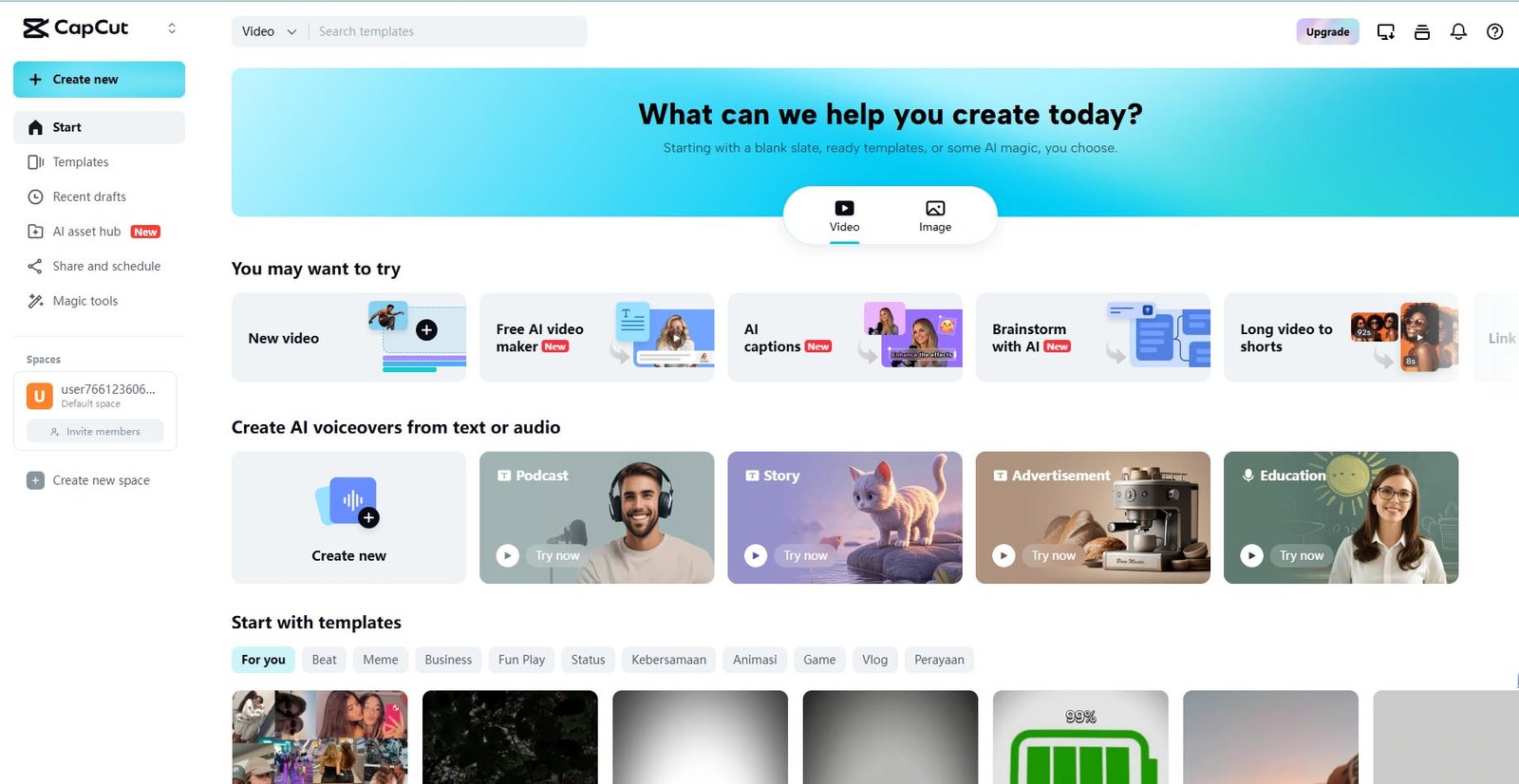
As short-form content continues to dominate platforms like TikTok, Instagram Reels, and YouTube Shorts in 2025, CapCut—developed by ByteDance (the creators of TikTok)—has emerged as a leading AI-driven video editing tool. It blends powerful automation with a user-friendly interface, enabling creators to produce professional-quality videos with ease.
Key AI Features
AI Video Maker: Converts text prompts into complete videos, automatically adding visuals, music, voiceovers, and transitions.
AI Avatars: Creates realistic talking avatars from text, suitable for faceless content, explainer videos, and business presentations.
Auto Captions: Transcribes speech accurately in multiple languages and offers customizable subtitle styling to improve engagement and accessibility.
Background Remover: Instantly removes or replaces video backgrounds without the need for a green screen.
Text-to-Speech (TTS): Provides a variety of natural-sounding AI voices across different languages for professional voiceovers.
AI-Optimized Template Library: Includes a regularly updated library of pre-made templates, with AI suggesting formats based on video content.
Optimized for Social Media
CapCut is deeply integrated with major social platforms. It supports direct publishing to TikTok and others, defaults to vertical video editing, and includes tools for platform-specific optimization such as aspect ratio presets and performance analytics.
Whether you’re a content creator, social media manager, or part of a digital marketing team, CapCut enables fast, efficient, and high-quality video production—no advanced editing skills required.
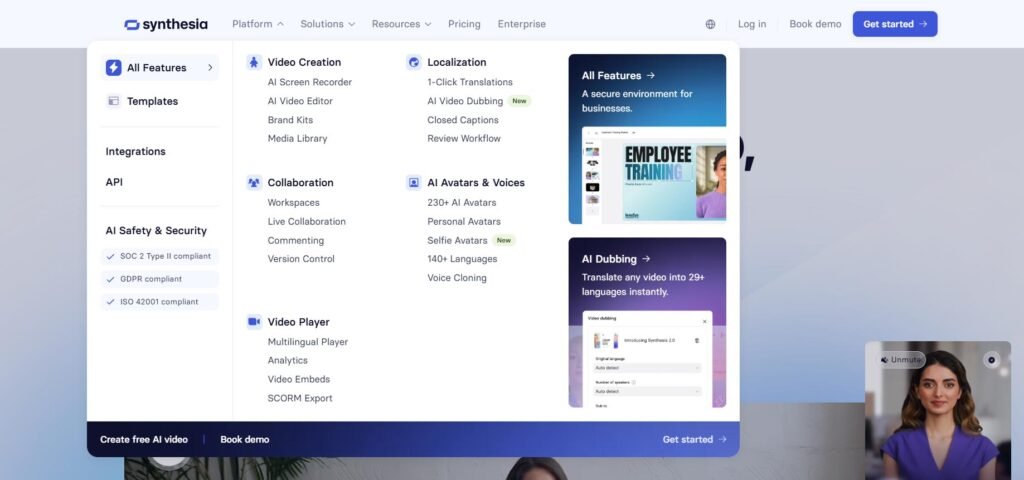
In 2025, Synthesia continues to lead in AI-driven video production, empowering users to create professional-quality videos without cameras, microphones, or actors. The platform is ideal for businesses, educators, and content creators seeking scalable, efficient video solutions.
Key Features
AI Avatars and Voiceovers
Choose from over 230 AI avatars or create a custom one. Avatars speak in 140+ languages with natural-sounding voiceovers.Text-to-Video Conversion
Input your script, select an avatar, and Synthesia automatically generates a synchronized, high-quality video.Multilingual Support
Translate videos into multiple languages to reach and engage global audiences.Custom Branding
Incorporate logos, brand colors, and backgrounds for a consistent, professional look.Enterprise Integration
Seamlessly connect with Learning Management Systems (LMS) and other tools to streamline video workflows.
Ideal Use Cases
Corporate Training
Create updatable, localized training content at scale.Marketing and Sales
Develop personalized videos for campaigns, product demos, and customer engagement.Education
Design accessible, multilingual instructional content for diverse learners.Internal Communications
Enhance employee messaging and announcements with engaging video formats.
User Experience
Users consistently praise Synthesia for its ease of use, realistic avatars, and high-quality voiceovers. The platform lowers the barrier to video production, making it accessible even to those with no technical background.
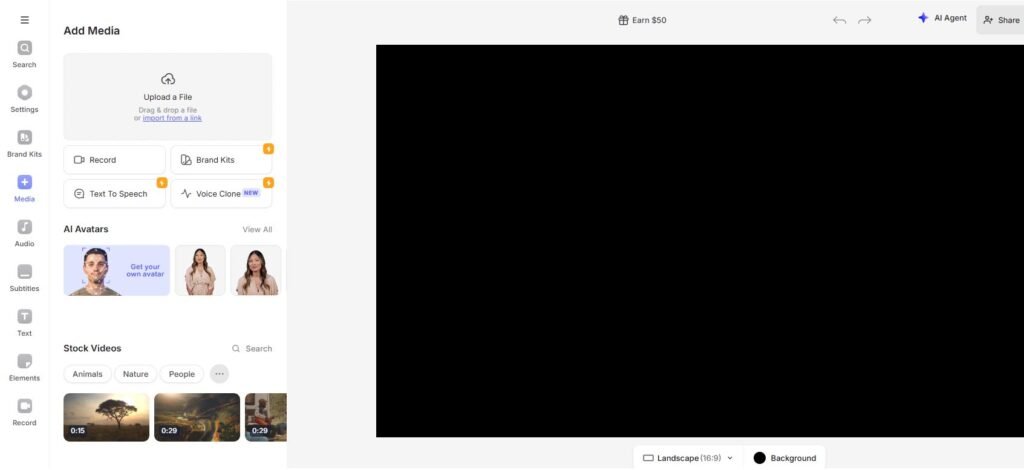
In 2025, Veed.io stands out as a powerful browser-based AI video editor designed for creators, marketers, educators, and businesses. Whether you’re producing social media content, training videos, or corporate communications, Veed.io offers a comprehensive set of tools to simplify and accelerate the video creation process.
Key Features
AI Video Generation
Generate fully edited videos from text prompts—complete with visuals, voiceovers, captions, and animations.Magic Cut
Automatically removes filler words, pauses, and background noise for a smoother final edit.AI Voice Generation
Add AI-generated voiceovers in a variety of accents and tones to match your content’s style.Auto Subtitles & Translations
Create accurate, multilingual subtitles to improve accessibility and global reach.Background Removal
Instantly remove or change video backgrounds without a green screen.Script Generator
Automatically generate tailored video scripts based on your topic and audience.Collaborative Tools
Share projects, receive real-time feedback, and streamline teamwork during the editing process.
Ideal Use Cases
Social Media Content
Create attention-grabbing videos for TikTok, Instagram, and YouTube.Educational Videos
Build effective tutorials and training materials for learners of all levels.Marketing Campaigns
Design engaging promotional videos that drive visibility and conversions.Corporate Communications
Produce polished internal announcements, updates, and presentations.
User Experience
Veed.io is widely recognized for its intuitive interface and efficiency. Users highlight how it removes complexity from video editing while still delivering professional-quality results.
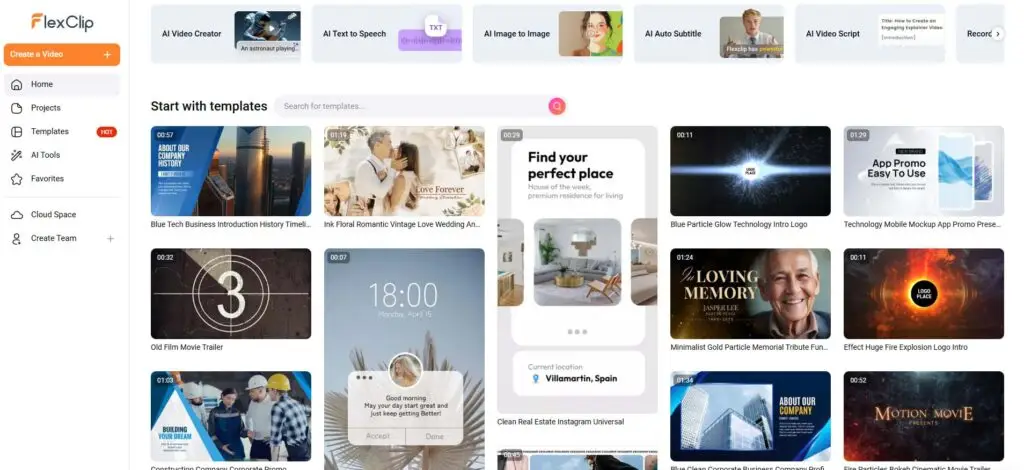
In 2025, FlexClip has established itself as a versatile, all-in-one online video editor that combines a user-friendly, template-based approach with a powerful suite of AI tools. It is designed for marketers, businesses, and content creators who need to produce high-quality videos quickly and efficiently, without requiring extensive editing experience. By integrating a traditional drag-and-drop editor with advanced AI capabilities, FlexClip serves as a complete solution for a wide range of video projects.
Key AI Features
AI Video Generator: Creates complete videos from simple text prompts, automatically generating scripts, selecting relevant stock media, and adding natural-sounding voiceovers.
Content-to-Video Converter: Instantly transforms blog posts, URLs, and even PowerPoint presentations into engaging, fully-edited videos, making it ideal for content repurposing.
AI Audio Suite: Features a Text-to-Speech tool with multiple languages and tones, an AI Music Generator to create royalty-free tracks, and an audio noise reducer to ensure clean sound.
AI Visual Tools: Includes an AI Video and Image Background Remover that works without a green screen, a Text-to-Image generator for custom visuals, and tools to restore and colorize old photos.
Massive Template & Media Library: While not strictly an AI feature, its vast library of customizable templates and stock assets is enhanced by AI, which can suggest templates and media to speed up the creative process.
Ideal Use Cases
Social Media Marketing: Quickly create ads, promotional videos, and content for platforms like Instagram, Facebook, and YouTube.
Content Repurposing: Effortlessly turn articles and static presentations into dynamic video content to maximize reach.
Corporate & Educational Content: Build professional training videos, business presentations, and explainer videos using branded templates.
Personal Projects: Easily create high-quality slideshows, event invitations, and personal memory videos.
User Experience
FlexClip is praised for its intuitive drag-and-drop interface, which makes video editing accessible to complete beginners. By integrating its comprehensive AI tools directly into a clean, browser-based workflow, it removes technical barriers and allows users to focus on creativity, delivering professional results with remarkable speed.

In 2025, Runway ML is at the forefront of AI-powered video editing, blending state-of-the-art generative models with intuitive tools to make professional video production faster, smarter, and more creative—for everyone from solo creators to production studios.
Next-Gen Video Generation: Gen-4
The release of Gen-4, Runway’s latest video model, marks a leap forward in AI video synthesis. Users can now generate cinematic-quality video clips from simple text prompts or images, with improved:
Visual consistency across frames
Realistic characters, objects, and environments
Cinematic camera motion and storytelling coherence
For example, a single image of a character can be transformed into a full scene with matching lighting and perspective—ideal for short films, ads, or social media content.
Powerful AI Editing Tools
Beyond video generation, Runway ML offers advanced tools to refine and enhance your footage:
Inpainting: Remove unwanted objects and seamlessly fill backgrounds
Motion Tracking: Attach text or effects that follow moving subjects
Green Screen (Background Removal): Replace backgrounds without a green screen
Text-to-Color-Grading: Apply cinematic color grades using descriptive text
Super Slow Motion: Generate smooth slow-motion from regular-speed footage
Face Blur: Automatically detect and blur faces for privacy
Scene Detection: Automatically segment videos into scenes for efficient editing
Creative Use Cases
Text-to-Video: Generate animated clips or visual stories from written prompts
Image-to-Video: Animate still images into engaging video sequences
Storyboarding & Pre-visualization: Quickly prototype scenes before production
Social Media Content: Create standout videos in minutes
Marketing & Ads: Produce branded content and explainer videos without a film crew
Collaboration & Accessibility
Available on both web and iOS, Runway ML supports real-time cloud editing for collaborative workflows. Its clean, user-friendly interface makes advanced video creation accessible to marketers, educators, designers, and filmmakers—no technical background required.

Wisecut is an AI-powered video editing platform designed to automate the editing process, making it fast and simple to transform long-form content into polished, engaging clips. Especially well-suited for talking-head videos, it’s ideal for YouTube creators, educators, marketers, podcasters, and business professionals.
Key Features
Auto-Cut Silences
Automatically detects and removes silent pauses while applying dynamic zoom-ins, resulting in smoother, more engaging content.Smart Background Music
Wisecut selects and adapts background music to match your video. It includes automatic audio ducking—lowering music during speech and raising it during silent segments.Auto Captions and Translations
Instantly generate accurate subtitles and translate them into multiple languages. Wisecut’s AI Storyboard also allows easy fine-tuning of captions.Storyboard-Based Editing
Edit your video by simply rearranging the text in a transcribed storyboard—no complex timelines or editing skills required.Auto Reframe
Automatically adjust your video for vertical, square, or horizontal formats, ideal for different social platforms.
Supported Languages
Wisecut currently supports 13 languages, including:
English
Spanish
French
Italian
Portuguese
German
Dutch
Korean
Japanese
(More languages in development)
Pricing Plans
Free Plan
Best for casual users or beginners exploring the platform.Basic Plan – $10/month
Offers expanded features suitable for frequent creators and professionals.
Ideal Use Cases
Content Creators: Produce short-form clips for platforms like TikTok, Instagram, and YouTube.
Marketers: Repurpose long videos into concise, shareable promotional content.
Educators: Convert lectures and tutorials into digestible segments.
Businesses: Create branded video content for internal and external communications.
User Experience
Wisecut is praised for its intuitive interface and time-saving features. Users value the platform’s ability to automate complex editing tasks, making high-quality video production accessible to non-experts.
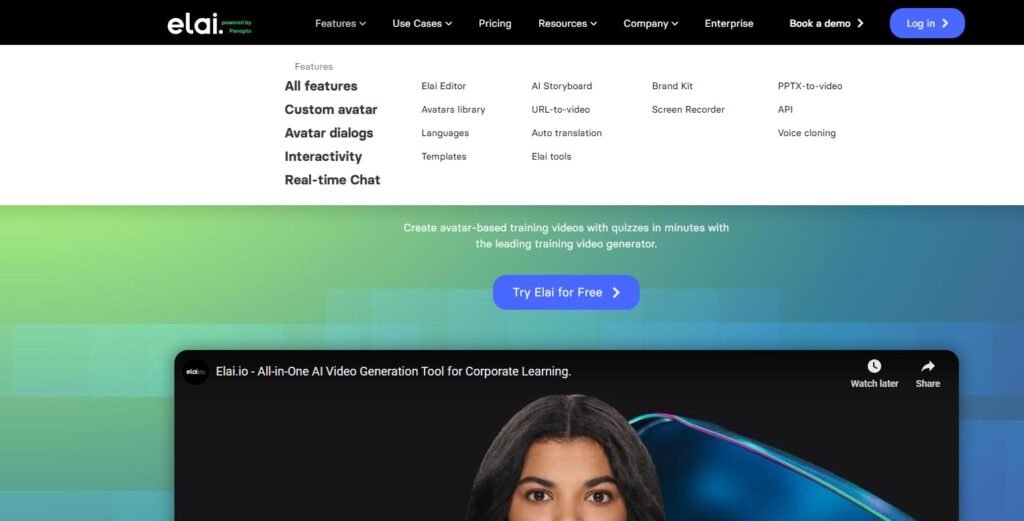
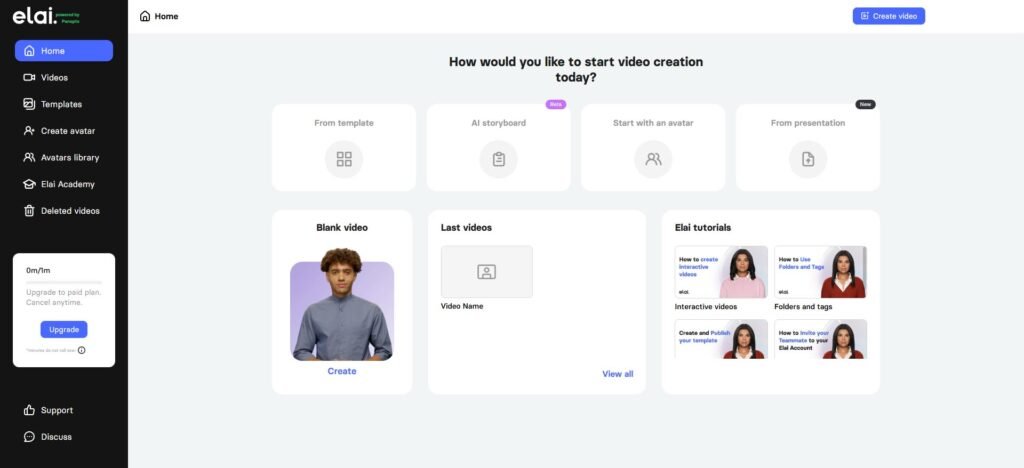
Elai.io is a leading AI video generation platform that allows users to create professional-quality videos from text—without cameras, microphones, or studios. It’s an essential tool for businesses, educators, and content creators seeking fast, scalable, and cost-effective video production.
Key Features
AI Video Generation
Turn written scripts into fully rendered videos with lifelike human avatars. Simply input your text, select an avatar, and Elai.io manages the rest—including voice syncing and rendering.Customizable Avatars
Access over 80 built-in avatars or create a custom one. Options include selfie-style, studio-quality, photo-based, and animated mascots.Multilingual Voice Support
Create content in over 75 languages and 450+ accents. Voice cloning is available in 28 languages for personalized, natural-sounding narration.Interactive Elements
Boost engagement by embedding quizzes, clickable buttons, and other interactive features directly into videos.Content Conversion Tools
Quickly transform blog posts (via URL), PowerPoint (PPTX), and PDF documents into videos.Screen Recording
Capture and integrate screen recordings for tutorials, walkthroughs, or product demos—all within the platform.Brand Customization
Maintain visual consistency with brand-specific logos, fonts, colors, and templates.
Ideal Use Cases
E-Learning and Training
Build scalable training modules, onboarding content, and instructional videos.Marketing and Sales
Create personalized product demos, explainer videos, and campaign assets.Corporate Communications
Deliver internal messages, announcements, and executive updates with a professional polish.Content Creation
Repurpose blogs or written content into engaging videos for websites and social media.
User Experience
Elai.io is praised for its intuitive design, realistic avatars, and high-quality voiceovers. It lowers the barrier to entry for video creation, making it accessible even to users without prior video production experience.
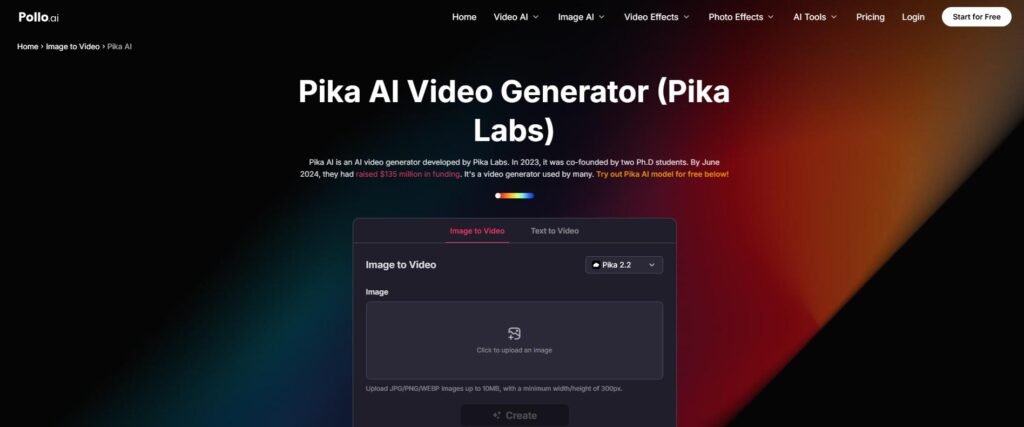
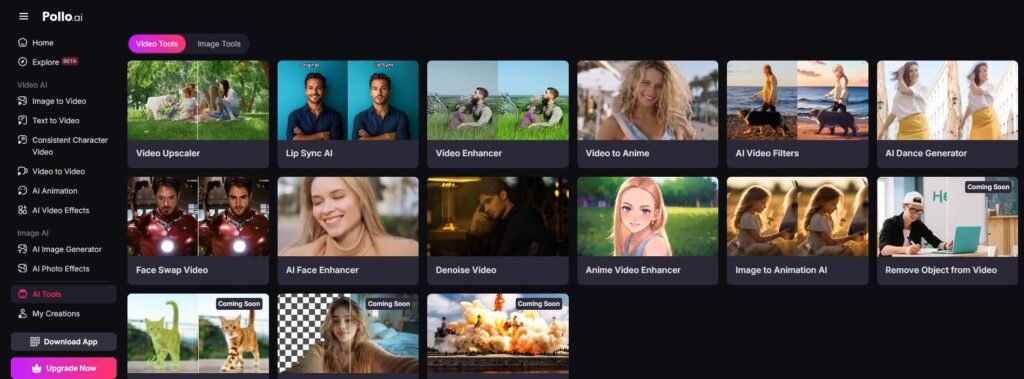
Pika Labs has rapidly gained traction as a flexible AI video generator, empowering marketers, educators, storytellers, and content creators to produce visually dynamic, short-form videos—without needing technical or editing expertise.
Core AI Capabilities
Text-to-Video & Image-to-Video
Generate cinematic clips from simple text prompts or images. Choose from visual styles ranging from photorealistic to cartoonish to match your brand or tone.Pika Effects
Apply unique, physics-inspired visual effects like “melt,” “explode,” “squash,” or “cake-ify” to enhance visual impact and social media appeal.Model 1.5 (2025 Update)
The upgraded model offers sharper resolution, smoother transitions, and more control over pacing, animation, and style—delivering pro-level results with minimal effort.
User Workflow
Pika Labs provides a streamlined, web-based editing experience:
Prompt or Upload – Describe your scene or upload an image.
Style & Effects – Select cinematic or stylized looks and apply dynamic effects.
Generate & Refine – Render in seconds, then fine-tune timing and motion via intuitive sliders.
Export & Share – Download your video in MP4 or share directly to social platforms in optimized formats.
Ideal Use Cases
Social Media Clips: Create viral-ready content for TikTok, Instagram Reels, and YouTube Shorts.
Marketing & Ads: Develop attention-grabbing video ads and product teasers without a full production team.
Educational Videos: Turn scripts or static diagrams into animated explainers.
Branded Storytelling: Animate logos, icons, and product visuals for maximum engagement.
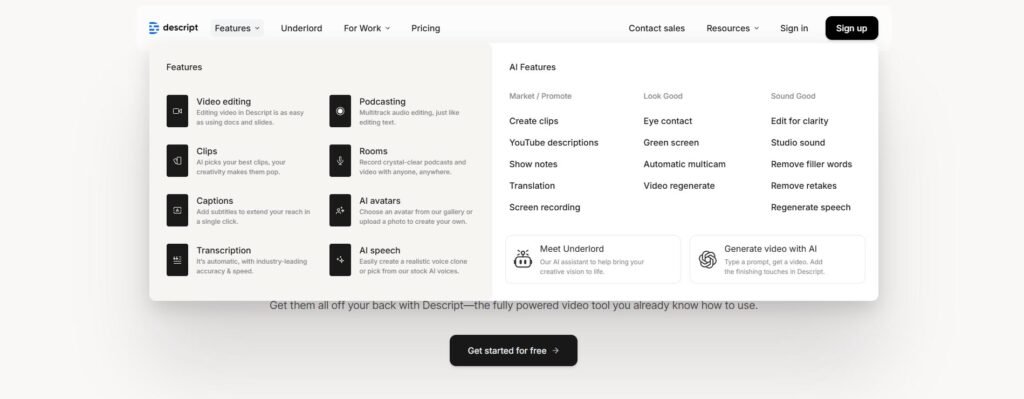
Descript continues to redefine video and podcast editing by making the process as easy as editing text. Whether you’re a content creator, educator, or marketer, Descript enables fast, intuitive editing—no timelines, no technical hurdles.
Core Editing Experience: Text-Based Editing
Descript automatically transcribes your video or audio. You can then:
Edit by Text: Delete or rearrange words in the transcript, and the corresponding audio/video updates in real time.
Drag-and-Drop Logic: Editing your content feels like working in Word or Google Docs, making it accessible for non-editors.
AI-Powered Tools
Descript integrates powerful AI features to elevate the quality of your content:
Overdub: Replace or insert words using a cloned version of your own voice—no re-recording required.
Studio Sound: Enhance voice clarity and remove background noise automatically.
Filler Word Removal: Instantly eliminate “ums,” “uhs,” and awkward pauses with a single click.
AI Green Screen: Change or remove video backgrounds without a physical green screen.
Eye Contact Correction: Adjusts your gaze to simulate direct eye contact with the camera.
Screen Recording: Record tutorials or presentations and edit them via transcript.
Ideal Use Cases
Podcasting: Streamline production with fast edits, clarity boosts, and voice replacement.
YouTube & Tutorials: Create polished, captioned videos quickly and easily.
Corporate Training: Build narrated instructional content with branded visuals and voiceovers.
Social Media Clips: Pull short, shareable clips from long-form content and add subtitles effortlessly.
Collaboration & Cloud Workflow
Cloud-Based Platform: No downloads or installations—access projects from anywhere.
Real-Time Collaboration: Multiple users can edit, comment, and export content simultaneously.
Version Control: Track edits and roll back changes with ease.
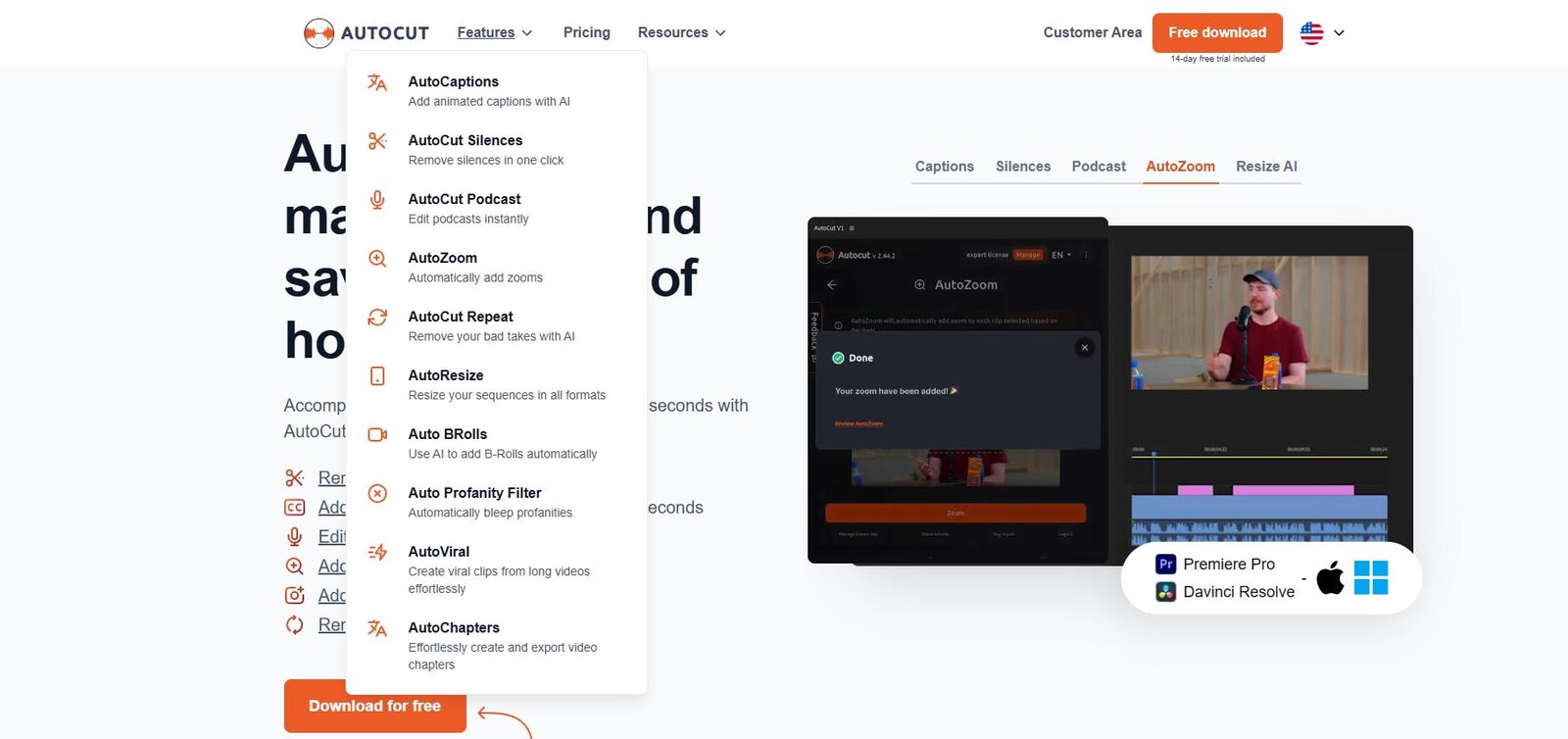
AutoCut is an AI-powered plugin designed to accelerate video editing for podcasts, interviews, and talking-head content. Compatible with Adobe Premiere Pro and DaVinci Resolve, AutoCut automates repetitive editing tasks—freeing creators to focus on storytelling and creativity.
Key Features
AutoCut Silence
Detects and removes silent sections for a smoother, more engaging viewing experience.AutoCut Podcast
Streamlines podcast editing by trimming unnecessary segments and enhancing content flow.AutoZoom
Applies dynamic zooms to maintain visual interest and viewer engagement throughout the video.AutoCaptions
Generates accurate subtitles to improve accessibility and viewer retention.AutoRepeat
Detects and removes repeated phrases or redundant segments for a cleaner final cut.AutoResize
Automatically reformats videos to fit vertical, square, or horizontal dimensions across platforms.AutoProfanity Filter
Identifies and filters inappropriate language to ensure brand safety and community guideline compliance.AutoB-Roll
Suggests and inserts relevant B-roll footage to support visual storytelling.AutoViral
Analyzes video content and provides tips to enhance viral potential and audience reach.AutoChapters
Automatically segments videos into chapters for easier navigation and improved viewer experience.
Ideal Use Cases
Podcast Editors
Automate routine editing to streamline post-production and meet deadlines faster.Content Creators
Boost production quality and audience engagement with minimal manual effort.Educators
Deliver polished instructional content efficiently with built-in captions and visual enhancements.Marketing Professionals
Create compelling, platform-optimized promotional videos that attract and retain attention.

Opus Clip is a cutting-edge AI tool designed to help creators, marketers, and businesses quickly convert long-form videos into short, engaging clips for social platforms like TikTok, YouTube Shorts, and Instagram Reels.
Key Features
AI-Powered Video Analysis
Uses advanced AI algorithms to analyze long videos and automatically identify key moments and engaging segments. This ensures that the generated short clips resonate with viewers.Automated Clip Generation
With a single click, Opus Clip can generate multiple short clips from one long-form video, significantly reducing the manual editing effort and increasing content production speed.Multi-Platform Optimization
Automatically adjusts clips to different aspect ratios and resolutions, ensuring they are optimized for viewing across various devices and social media platforms.Auto-Captions and Translations
Generates accurate captions for videos, improving accessibility and engagement. Additionally, it supports translations to make content available to a global audience.B-Roll Integration
Suggests and inserts relevant B-roll footage to enhance the visual appeal and provide a more dynamic viewing experience for the audience.
Ideal Use Cases
Content Creators
Quickly generate engaging short-form videos for TikTok, Instagram, YouTube Shorts, etc.Marketers
Repurpose long-form content into short, attention-grabbing promotional clips for better reach and engagement.Educators
Convert long lectures or tutorials into bite-sized, shareable educational content.Businesses
Build brand presence on social media by consistently producing high-quality, engaging short-form videos.

As long-form video content remains a cornerstone of platforms like YouTube in 2025, Firecut—an AI-powered plugin for Adobe Premiere Pro—has emerged as a leading tool for creators who want to streamline their editing process. It blends smart automation with deep integration, enabling creators to produce polished videos with minimal manual effort.
Key AI Features
Automated Silence Removal:
Detects and removes silent segments from video timelines, dramatically reducing editing time and making content more concise and engaging.
Multi-Language Auto Captions:
Generates accurate, AI-powered subtitles in over 50 languages, with styling options to boost accessibility and viewer retention.
Podcast Editing Tools:
Automatically switches camera angles and applies zooms in multi-speaker setups, perfect for video podcasts, interviews, and roundtables.
AI Chapter Detection:
Identifies key moments in a video and creates timestamped chapters, making content easier to navigate for viewers.
Highlight Clipper:
Scans long-form content to extract and edit the most engaging segments—ideal for repurposing into YouTube Shorts, TikToks, and Reels.
Filler Word Remover:
Eliminates common speech fillers like “um,” “uh,” and “you know,” improving the clarity and professionalism of dialogue.
Audio Enhancement:
Uses AI to clean up background noise and normalize audio levels, ensuring consistent, broadcast-quality sound.
Optimized for YouTube Creators
Firecut is built specifically for YouTubers and video professionals working in Premiere Pro. It supports direct export to YouTube, offers timeline templates tailored to content types like tutorials and podcasts, and includes optimization tools for metadata, aspect ratios, and viewer engagement analytics.
Whether you’re an educator, a podcast host, or a content team managing multiple channels, Firecut empowers you to produce high-quality content faster—without needing to master complex editing techniques.
Use Cases of AI in Video Editing
YouTube Content Creation
AI video editing tools are reshaping YouTube content creation by automating time-consuming tasks like captioning, trimming, and background removal. Creators can now focus more on content quality while the AI handles repetitive tasks.
Descript: Enables transcription-based editing where creators can cut or rearrange content by editing text.
Veed.io: Offers one-click subtitles and translations, expanding a creator’s global reach.
FlexClip: Provides a massive library of templates and AI tools to generate entire videos from scripts, speeding up production for tutorials and listicles.
This technology helps creators deliver consistent, high-quality content, attracting broader audiences with less effort.
Short-Form Videos (TikTok, Instagram Reels, YouTube Shorts)
Short-form videos dominate platforms like TikTok, Instagram Reels, and YouTube Shorts. AI tools simplify the process of repurposing and creating engaging clips.
Opus Clip and CapCut: Automatically identify highlights from long-form content and format them into short, attention-grabbing videos.
FlexClip: Converts blog posts and articles into perfectly formatted social videos, enabling quick and efficient repurposing.
These tools help creators and marketers generate shareable content optimized for different platforms.
Corporate Explainers and Training Videos
For professional communications, AI-powered platforms streamline training and explainer video creation.
Synthesia and Elai.io: Offer AI avatars capable of speaking multiple languages, making global training scalable and cost-effective.
FlexClip: Supports branded templates and AI-powered assembly from existing assets and stock media.
These solutions enable companies to produce accessible, multilingual content without needing costly actors or translators.
Vlogs and Automated Highlight Reels
(No changes needed — this area relies more on raw footage editing, which is not FlexClip’s strongest feature compared to the other tools.)
Podcast and Webinar Repurposing
(No changes needed — while FlexClip can help, its core strength lies in text-to-video repurposing, which is already covered above.)
E-Learning and Course Content Generation
Educators and e-learning platforms benefit greatly from AI-driven video creation.
Synthesia, Elai.io, and Pika Labs: Provide AI avatars, voiceovers, and interactive elements for course materials.
FlexClip: Transforms PowerPoint presentations and lesson plans into dynamic, engaging videos.
These tools help educators produce high-quality course content faster, catering to diverse learning needs.
Conclusion
The integration of AI in video editing has transformed the content creation process, making it more efficient, accessible, and scalable. As the industry evolves, even more advanced features will emerge, pushing the boundaries of creativity and productivity.
From generative models like Runway ML that create visuals from scratch, to intelligent editors like Descript that revolutionize post-production, and all-in-one platforms like CapCut and FlexClip that empower social media creators, there is now a powerful AI tool for every workflow.
By leveraging these technologies, creators can:
Streamline production processes.
Enhance content quality.
Reach broader audiences with less effort.
AI is no longer just a convenience—it has become a core driver of modern content creation.
Read More:
- All Posts
- Blogs

Google Labs Introduces CC: An Experimental AI Agent Now Available in the US and Canada Table of Contents How to...

How AI-Generated Images Can Transform Your Daily Life AI-generated images are no longer just a trend. They have become a...

30 Ways to Use AI into Your Daily Work The world of work is undergoing a profound transformation, and at...

Try Nano Banana Pro Free Unlimited 4K by Mo Khaled | November 22, 2025 Table of Contents Try Nano Banana...
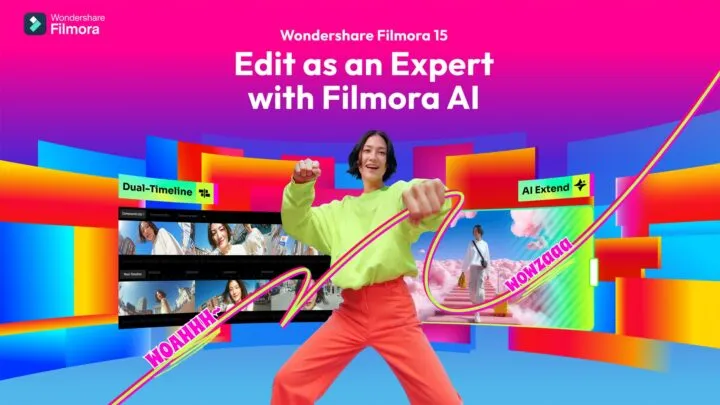
Filmora V15 Launch: AI-Powered Revolution in Video Editing (2025 Update) Introduction: Filmora V15 Redefines Creative Video Editing Wondershare has officially...
ChatGPT Atlas Browser: The Next-Gen AI Browser Revolution by Mo Khaled | October 14, 2025 Table of Contents Lalal.ai: AI...